Mac Version
Choose the right installer
Apple Silicon (M1/M2/M3/M4) and Intel Macs need different installers. The buttons above will recommend the one that matches your device.
Not sure? Click the Apple menu in the top-left corner → "About This Mac" → check "Chip": Apple M series means Apple Silicon, Intel Core means Intel.
Software Update Frequency
The software is updated frequently. If you encounter issues, please re-download and install the latest version.
This article assumes you are using a Mac computer. If you are on Windows, please refer to the Windows User Guide.
Preparation
- Please download the APP and log in to obtain your account information:
- Account recharge, skip if already recharged:
Illustrated Guide
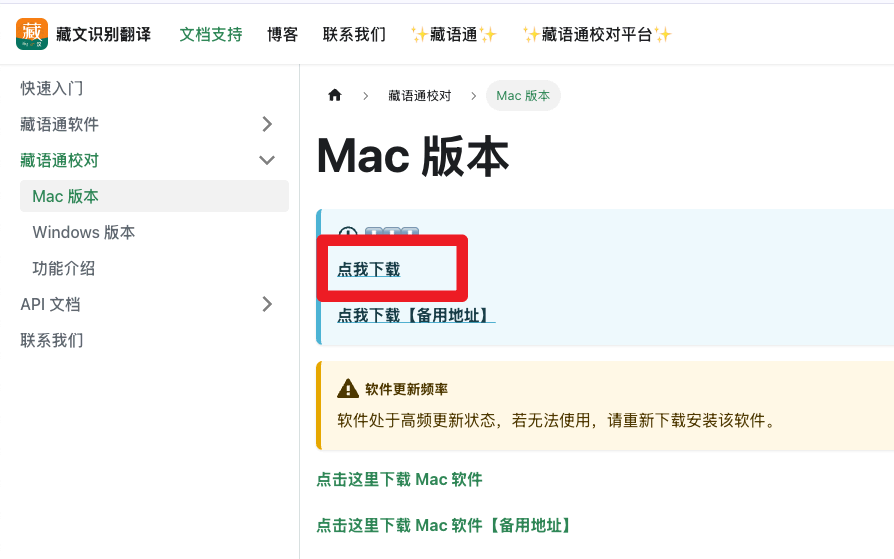
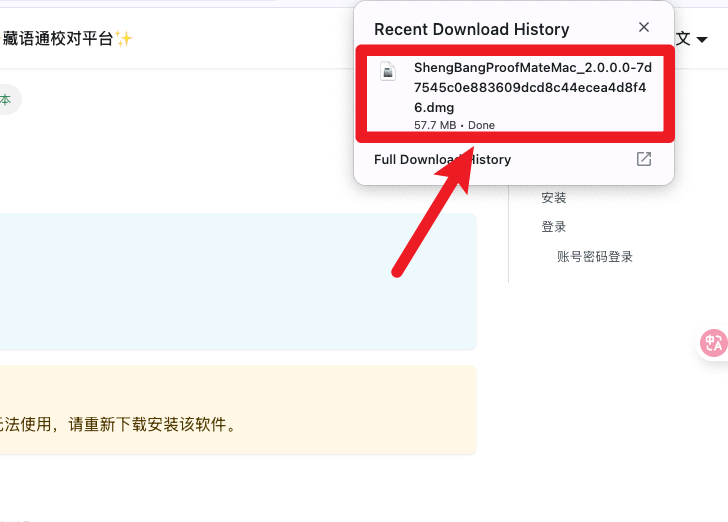
Download
| Click to Download | Open the software after download completes |
|---|---|
 |  |
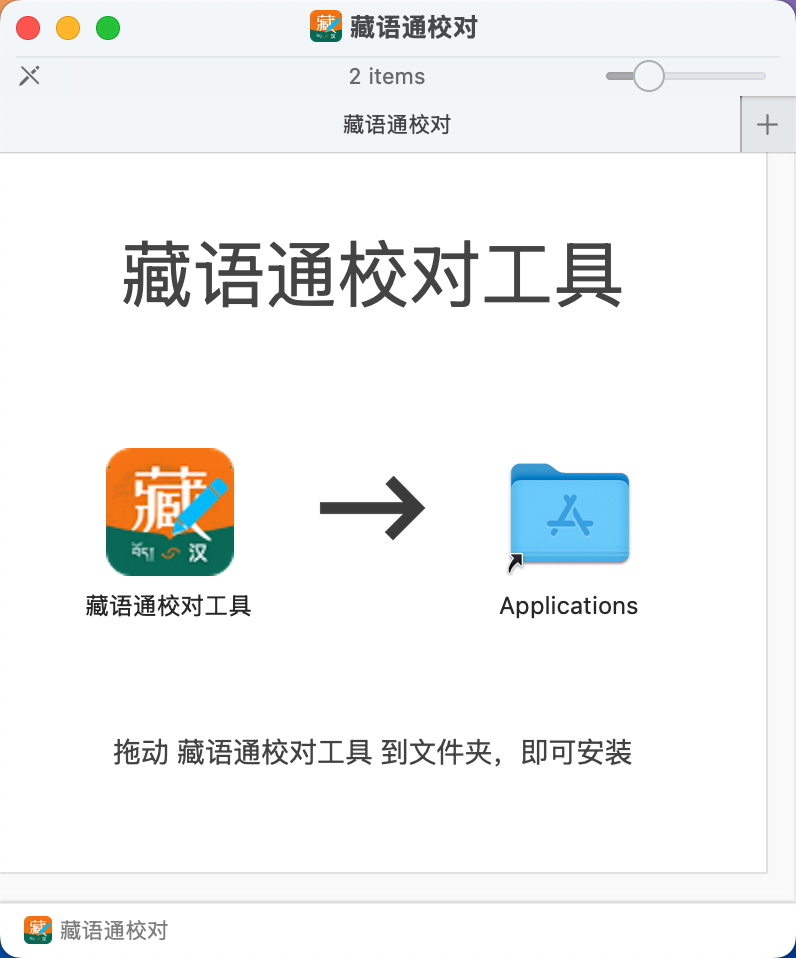
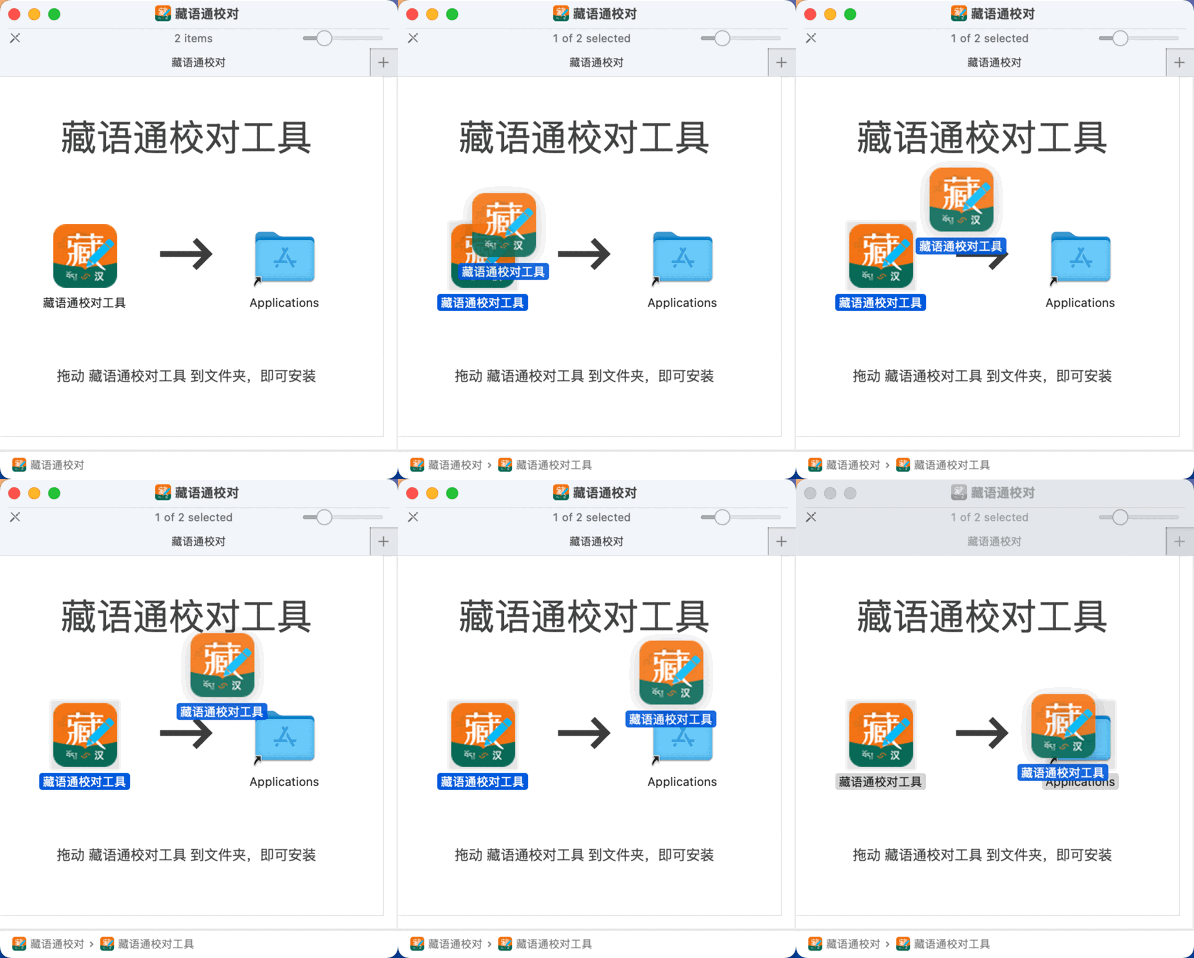
Installation
| Open the dmg file | Drag the software into the Applications folder |
|---|---|
 |  |
Login
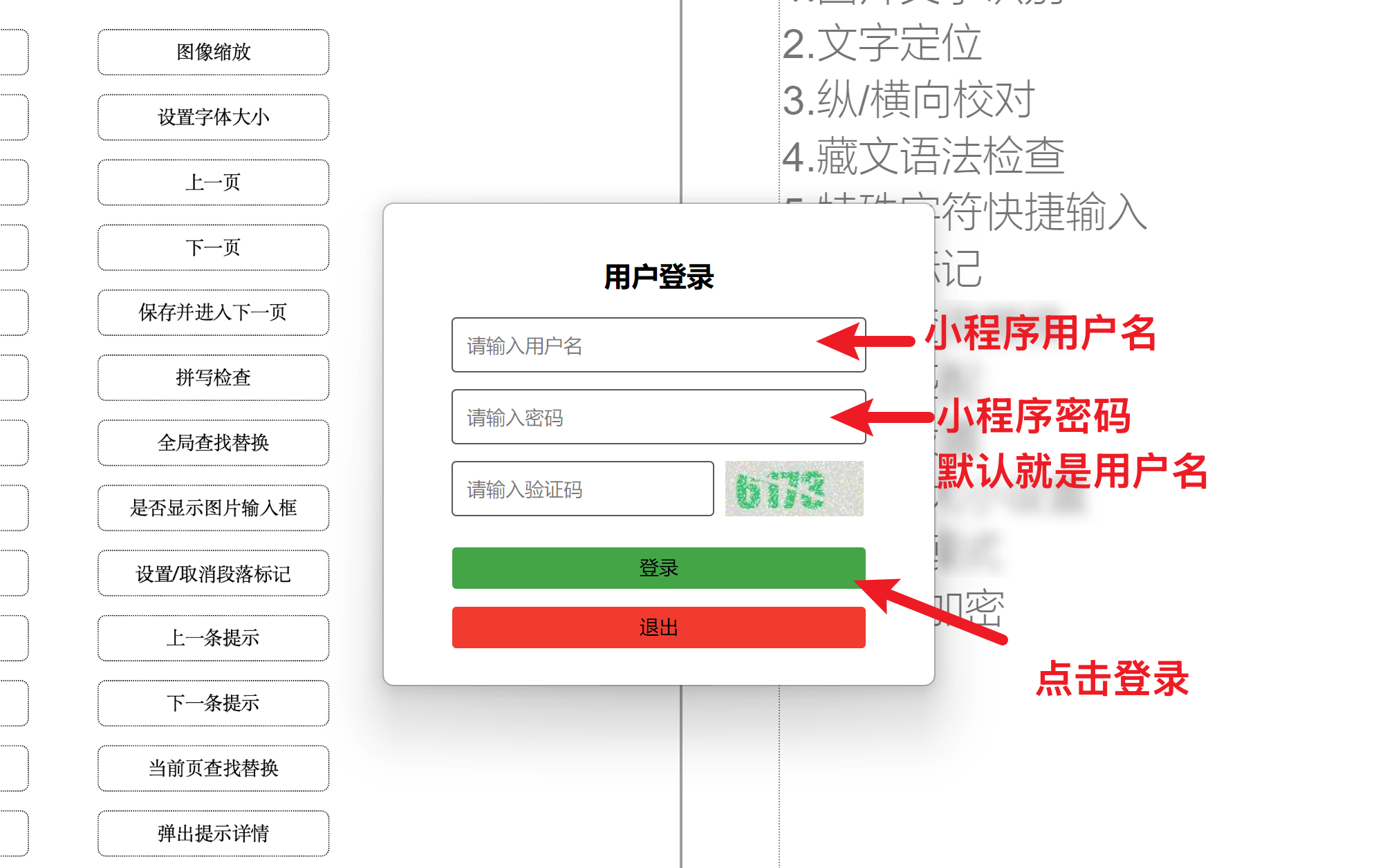
Account & Password Login
| Enter account and password to log in | View account (on the APP side) |
|---|---|
 |  |